





200 years no gospels | 24 other thrones besides Jesus' | Jesus' problematic hyperboles: made sinful lawful and lawful sinful | Jesus was created | What's new | A-Z library (3300+ articles) | "Muslims" was the original title | Quran Search | Quran Moral Code (100s of them) | Quran: Bibles are filled with corrupt قول qaowl (doctrines of sayings and writings. See also Hafs vs. Warsh Quran) | "bar Allahin" in Daniel 3:25-26 means the chosen one of Allah | Jesus said he was powerless | Paul said he wasn't sure about Holy Spirit | Disciples called each other liars, satanic, false | Paul commanded women to not expose sex predators | Research & Blog | 9/11 Israel-lie | Youtube | 
 | Jesus replaced Satan: (Ezekiel 28:13-19)
Where was the promised Holy Spirit in the disciples' apostatizing of each other.
The Romans had to crucifixion fake his crucifixion due to Passover issues: [1]

This article is now located at: www.answering-christianity.com/ac19.htm#links
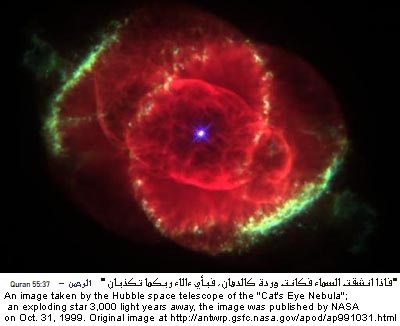
Quran's STUNNING Divine Miracles: [1] Allah Almighty also promised in several Divine Prophecies that He will show the Glorious Quran's Miracles to mankind. For example:
Coincidence? See 1,000s of examples [1].Quran's Stunning Numerical & Scientific Miracles.
"I cannot do anything on my own." (i.e., Jesus could not perform a single Miracle without GOD sending it down to him first!). I can not perform a single Miracle on my own!! I am totally POWERLESS without Allah Almighty! John 5:31 "if I (Jesus) bear witness of myself, then I would be a liar!" GOD didn't talk this way when He spoke to Moses. GOD's testimony alone is always sufficient! Jesus also bowed his face down to the ground, like we Muslims (Isaiah 56:5: Muslim is the future believers' name, and sons and daughters of GOD titles will be "no more"; |
.jpg)